May 27th, 2026
New
Improved
Fixed

Intro: This release makes day-to-day publishing in Social Valet more complete and dependable. You can now see more of your Instagram history in one place, recover more quickly when access or billing needs attention, and run into fewer blockers when posting or joining shared albums.
Instagram activity is easier to review without bouncing between tools.
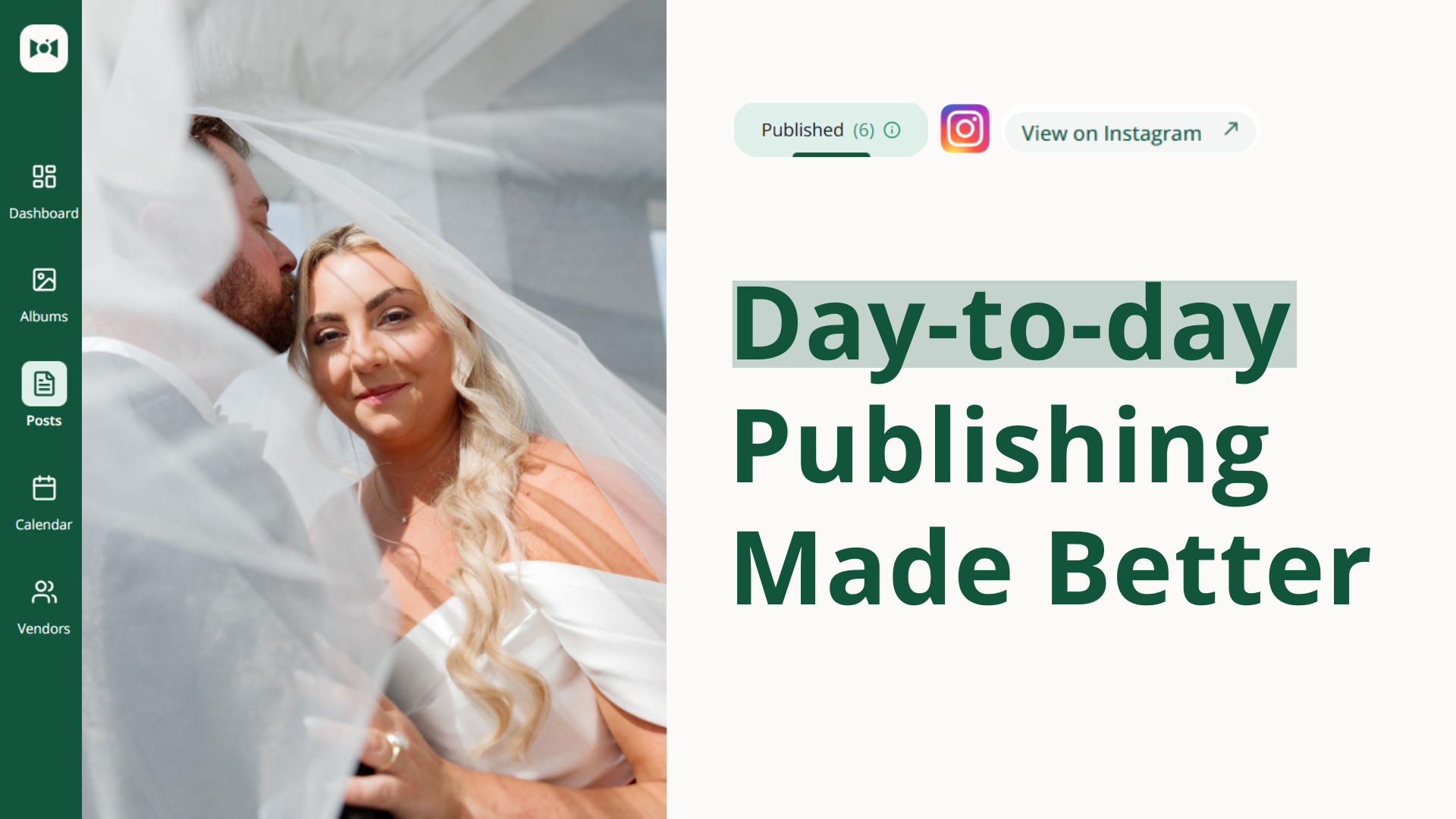
Bring externally published Instagram posts into view. Posts you published outside Social Valet can now appear in your published posts area, so your Social Valet view more closely matches what your audience actually sees on Instagram.
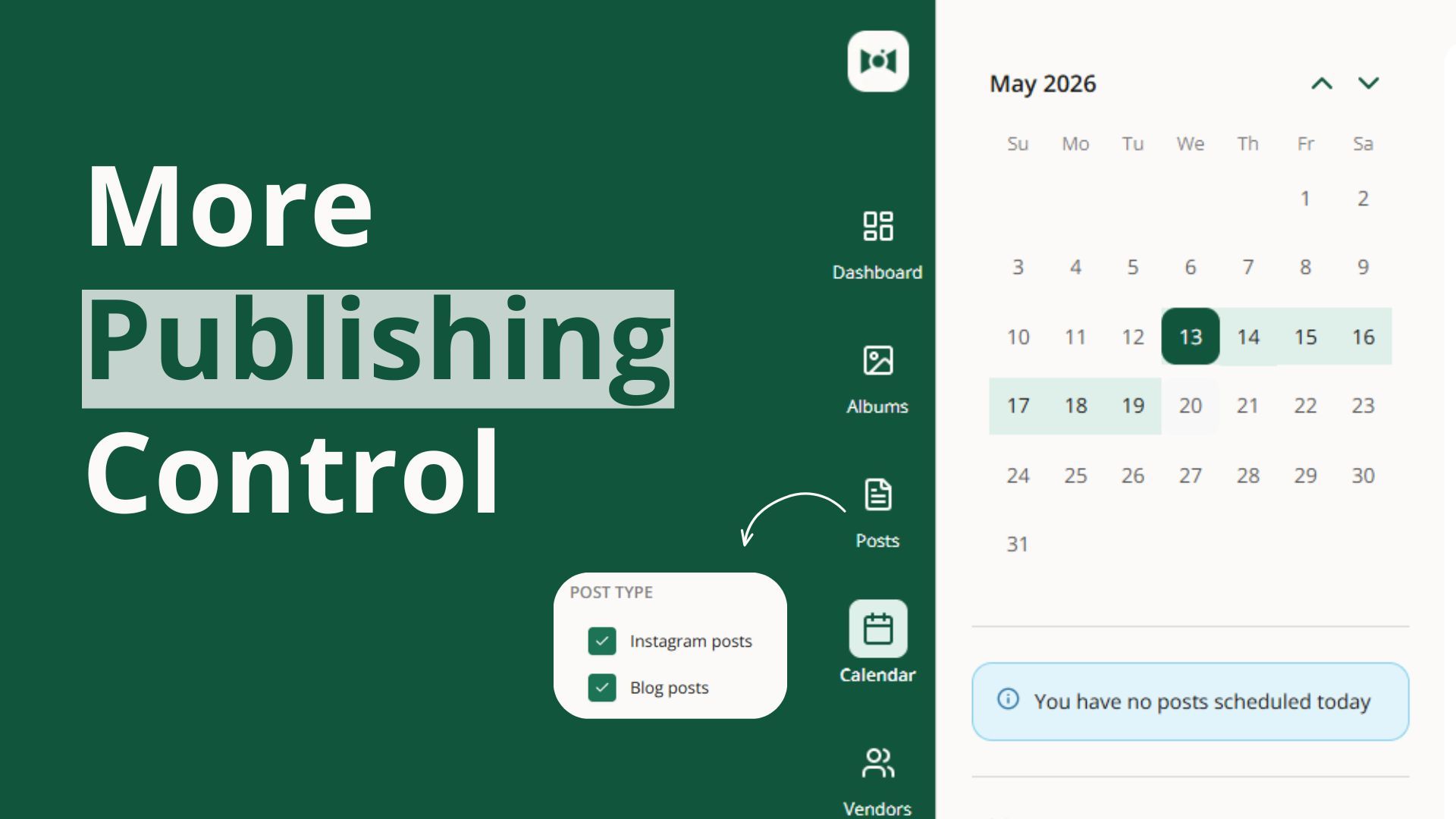
See those posts on your calendar. Past posts published directly on Instagram now show on the day they went live, giving you a more complete picture of your recent publishing activity.
Open external posts in a safe read-only preview. You can review captions, media, and engagement details in Social Valet, then jump to Instagram when you need to make changes there.
Note: this is only for posts since you connected your instagram account to Social Valet.

If your subscription is missing or your billing needs to be updated, Social Valet now does a better job taking you to the right place instead of leaving you at a dead end. That means less confusion when you need to finish setup or fix a payment issue so you can get back to work faster.
Posts that would have failed because of unsupported Instagram image sizing are handled more gracefully, helping reduce repeated publishing errors and making it easier to get posts out without trial and error.
People coming in from shared album links can now move between sign up and log in more reliably, and the flow for adding a shared album to an account is more dependable. That helps new users get into their album faster with less friction.

We refreshed the Terms of Service shown in Social Valet so the in-app terms better reflect the current product and account experience.
May 20th, 2026
Improved
Fixed

This release makes day-to-day work in Social Valet feel more dependable. Wedding vendors should see smarter moment-based post generation, smoother album publishing, and fewer interruptions when refining their brand voice.
Post generation now uses Moments with more detail, giving the system better context for both writing and image selection.
Generate posts that stay true to the Moment. When Social Valet creates a Ceremony post, it can now stay focused on Ceremony photos instead of pulling from the full album, helping each post feel more relevant to the story it is meant to tell.
Write stronger captions and choose better photos. The system now knows how many images exist in each Moment and uses that context during planning and selection, which helps it recommend more realistic posts, write more accurate captions, and pick photos that fit the post better.
Keep flexibility when a post is broader. When a post is meant to be more general, Social Valet can still use the full photo set so broader content does not get boxed in unnecessarily.

If an album has fewer than 10 images, it can now still move into publishing and generate posts the way you would expect.
Updating a vendor in the album details section now changes the existing vendor entry instead of accidentally adding a duplicate during the album creation flow.
Longer brand voice inputs can now go through more reliably in the refine or retrain text box, making it easier to update your voice without having to cut down the content first.
May 15th, 2026
Improved
Fixed

Intro: This release makes the calendar easier to use on smaller laptop screens. Wedding vendors can see more of their week at once and reschedule posts with more confidence.
The calendar now fits smaller laptop screens more comfortably, so you can review your full week without awkward side-scrolling. Post cards also behave more cleanly while you reschedule content, with better visibility, smoother dragging, and a less crowded layout when you're working through your posting plan.

May 11th, 2026
New
Improved
Fixed

Intro: This release helps wedding vendors make schedule changes faster, clean up vendor details with less friction, and avoid publishing interruptions when account data needs attention. It also improves a tricky PDF import case so album setup feels more dependable.
Planning changes happen constantly during wedding season, so this release makes it much quicker to adjust your queue without slowing down your day.
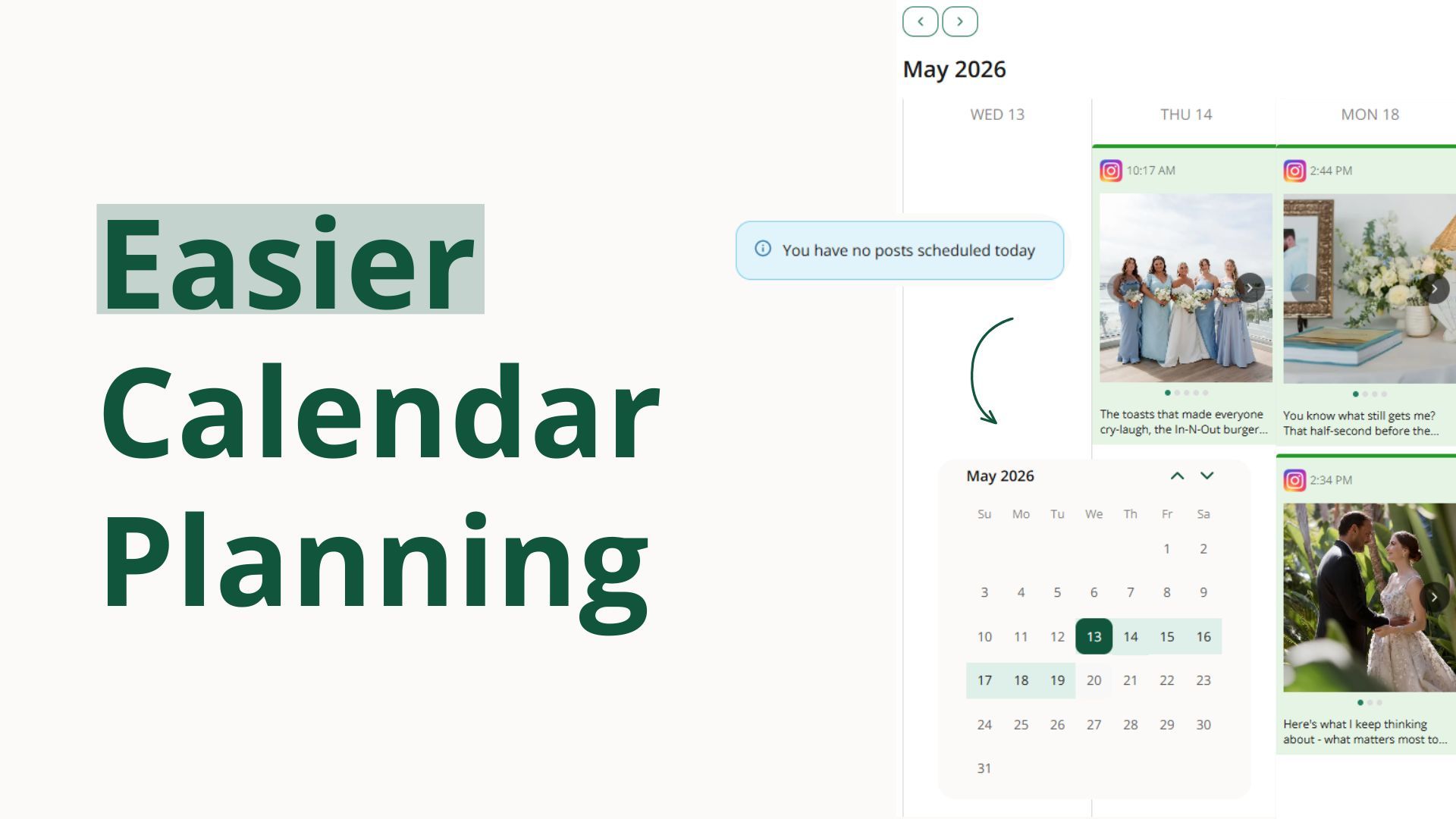
Drag posts to a new day on the calendar. On both week and month views, you can move a scheduled post just by dragging it, and Social Valet keeps the time of day intact.
Rearrange your Instagram grid before posts go live. Move scheduled posts into a new spot and the surrounding schedule adjusts automatically, while already-published posts stay locked in place.
Jump straight to the week you want to plan. Pick any date from the mini calendar and the week view shifts instantly so you can see that seven-day window.

Vendor details are easier to trust now, especially when you're working quickly inside an album.
Vendor role changes now stick from the album view. If you update a vendor's role while working inside an album, that change now saves correctly everywhere the vendor appears.
Deleting a vendor is clearer and safer. You can now review the impact first, remove a vendor from just one album when needed, or fully delete them with clear confirmation.

A bad Instagram tag should not derail a scheduled post. This update keeps publishing moving and makes the next step clearer when something needs attention.
Scheduled posts can still go out on time. If a tagged Instagram account cannot be used at publish time, Social Valet can remove that tag, publish the post anyway, and point you to the vendor details that need to be fixed.
Some PDFs with table-heavy layouts now import more reliably during album setup, making it easier to pull in event details without as much manual cleanup.
May 1st, 2026
New
Improved

This release gives wedding vendors more control over when content publishes, more flexibility to organize albums around their own style and market, and a steadier posting cadence. Plus a handful of polish updates across the album and post experience.

Moments help you organize photos within an album β getting ready, ceremony, first dance, and so on. With this release, your moments list is yours to shape, and they're more visible throughout the app.
Manage your moment list in Settings. Add, rename, remove, reorder, and reset your moments so they match your style and workflow.
Moments tailored to your market. Each business has its own moment list instead of sharing a global one, so you can organize weddings around your region, traditions, and preferred language.
Spot moments at a glance. Moments now appear as clear labels in both the lightbox and list view, with a visible empty state when no moment is set.
Reassign photos before deleting a moment. Move tagged photos to another moment before removing one so you don't lose your organization work.

Create moments with less setup. Just enter the name β Social Valet handles the rest.
Captions match your moments. Instagram captions and blog content now better reflect your custom moments, including regional or style-specific ones, so generated content feels more true to the event.

You're now in the driver's seat on when an album starts generating and publishing content. No more posts kicking off before an album feels ready.
Authorize an album for publishing when you're ready, and move it back to draft if plans change. Post generation now waits for your go-ahead instead of starting at album creation.

The "back to draft" option lives in the three-dot menu so it stays out of the way until you need it.
Filter albums by Draft or Publishing status to keep track of what's ready to go and what still needs your attention.
Clearer next steps after upload. The album-created popup now explains that you should review your images and authorize publishing before posts are generated.
Less clutter in album alerts. Outdated and misplaced prompts have been removed from album pages so the view stays focused on the work that matters.

You can now choose how many Instagram posts Social Valet publishes each week instead of being locked into the default pace. Once you set a weekly limit, scheduling respects it β your queue can keep building in the background, but publishing waits for the next available slot so your cadence stays consistent.
You can now favorite an image and set it as the album cover directly from the larger photo preview, making it faster to pick standout images without jumping back and forth.
The album sharing message now does a better job explaining what collaborators get when you share a copy, setting clearer expectations and making the handoff feel more straightforward.
Social Valet now supports Stylist, Content Creator, and Hair & Make-Up as vendor roles, and simplifies Venue Coordinator to Venue β making profiles feel more accurate for the way wedding pros actually describe their work.
The New Post button is now more balanced and easier to scan. Small change, but it makes the post creation area feel tidier and more intentional.
April 24th, 2026
New
Improved
Fixed

This release gives wedding vendors more control over the people tied to each event, clearer next steps when publishing runs into trouble, and faster ways to clean up albums before content goes live. It also adds more guidance during setup so it's easier to get moving with confidence.
You can now manage subjects throughout the full album workflow, so it's easier to keep the right people connected to the right content.
Add subjects from the start. You can now add people during album creation, including their role and Instagram handle.
Pull subjects from your uploaded materials. Social Valet can now look through planning docs and other uploaded files to identify subjects for you during setup.
Review subjects on the album itself. Subject details now appear on the album page so you can quickly confirm who is connected to the event.
Edit subjects later without starting over. You can add, update, and remove subjects from album details after an album has already been created.
Use subjects while editing posts. Subject tags, mentions, and collaborator choices now show up directly in post editing and manual post creation.
Get smarter caption generation. Post generation now uses subject details so captions, mentions, tags, and collaborators can better match the people featured in the event.
See cleaner tagging rules across the app. Vendors and subjects are organized more clearly, collaborator previews are more accurate, and posts now respect the cap on total tagged accounts.

When a post fails, it's now much easier to understand what happened and what to do next.
See failed posts only when they actually exist. A Failed tab now appears on the posts page only when there's something that needs attention.
Open a clear failed-post detail view. Failed posts now show a dedicated view with the reason, the original scheduled date, and clear recovery actions.
Move a failed post back to Approved or delete it. Recovery is now built into the workflow instead of leaving you stuck.
Get better alerts when a connection issue blocks publishing. Critical dashboard alerts and email notifications now do a better job guiding you back to the right fix.
Jump straight from an alert to the problem post. In-app notifications now link directly to the post that needs attention.
Avoid false alarms when you disconnect a platform on purpose. Intentional disconnects are now handled more gracefully so they don't feel like publishing failures.
This release adds quicker ways to remove, download, and organize images without extra clicks.
Remove one image right from preview. The delete action for a single photo now lives on the preview screen where it's easier to find.
Remove images from a post with one click. You can now quickly drop an image from a post directly from the image area instead of reopening the full selector.
Delete or download multiple photos at once. Multi-select on album preview now supports bulk delete and bulk download.
Stop seeing the "upload 10 images" reminder once you've already done it. Albums with enough photos now hide that prompt correctly.

Setup is now more forgiving and easier to move through when you're editing details or bringing in a lot of information.
Edit vendor details without re-entering everything. Existing vendor information now fills in properly when you open it for editing.
Get clear feedback if album details are too large to analyze. Large inputs no longer fail silently, which makes it easier to correct the issue and keep going.
New explainer videos now give you more context while you're setting up your account and brand voice.
Watch a brand voice explainer where you need it. Brand voice screens in onboarding and settings now include help video support.
See a welcome video at the end of onboarding. The final onboarding screen now gives new users a clearer handoff into their next step.
Regenerated image descriptions are now kept shorter and more consistent, making them easier to review and work with.
April 17th, 2026
New
Improved
Fixed

This release gives wedding vendors better ways to organize photos, cleaner guidance while moving through album setup, and more confidence that content creation and publishing will keep moving. It also smooths out a handful of everyday workflow issues that could slow you down.
You now have more control over how photos are labeled, reviewed, and updated inside an album.
Add a Moment to each photo. Photos can now carry a Moment label so you can keep images organized around the parts of the event that matter most.
Let Social Valet suggest Moments for you. During image analysis, Social Valet can now recommend the best Moment for each photo so albums start out more organized with less manual cleanup.
Filter and sort by Moment. You can now narrow an album to specific Moments or sort photos in a more natural event-day order.
Update many photos at once. Bulk editing now makes it much faster to apply Moment and tag changes across multiple images.

Creating an album now feels clearer and more forgiving, especially when you're working quickly or jumping between tabs.
Use a cleaner album creation flow. The album setup experience now has a more consistent layout, clearer actions, and better guidance as you move from details to upload.
Keep image analysis moving even if you leave the page. If you lose connection, close the tab, or navigate away after uploading, Social Valet will still continue the analysis process instead of leaving the album hanging.
See the album-created message only when it makes sense. The informational message tied to a new album now appears at the right moment instead of showing up every time you reopen an album.
Get clearer guidance right after creating an album. The post-creation popup does a better job setting expectations for what Social Valet is doing next and how to work with your images.
Several vendor-related fixes make it easier to keep the right people attached to the right work.
See cleaner vendor search results. Duplicate vendor options have been removed from the add-vendor experience so it's easier to choose the right person once.
See new vendors immediately. When you add a vendor, the list now refreshes right away so you don't have to reload the page.
Include all album vendors during manual post creation. The manual post creation screen now brings in the full vendor list instead of showing only part of the event team.

This release improves reliability when Social Valet is creating or publishing content behind the scenes.
Get better protection against silent generation failures. If posts or blogs can't generate after album analysis, the system now does a better job catching the problem and surfacing clearer failure handling.
Reduce certain publishing failures tied to vendor data. A publishing issue caused by incomplete tagged-vendor information has been fixed, helping scheduled posts move through more reliably.
Understand the Posts page more quickly. A new informational popup helps explain how approval, scheduling, and publishing work so it's easier to know what happens next.
Social Valet now gives clearer feedback when your internet connection drops and does a better job refreshing data when you're back online.
Know when you're offline. You'll now see a clear disconnected state instead of wondering why the app stopped updating.
See fresher information after reconnecting. Once your connection returns, active pages refresh so you aren't stuck looking at stale data.
April 14th, 2026
New
Improved
Fixed

This release helps wedding vendors keep vendor records cleaner, move through posting with more confidence, and handle large albums with less friction. It also adds clearer guidance during setup and easier ways to get help without leaving the app.
Keeping your vendor list tidy is now much easier, whether Social Valet spots a possible duplicate for you or you want to merge records yourself.
Catch possible duplicates automatically. The Vendors area can now flag likely duplicates so you can spot cleanup opportunities without hunting for them manually.
Start a merge on your terms. You can manually pick two vendor records to merge whenever you need to clean up an edge case the system did not catch.
Choose the right details before you merge. Social Valet now shows conflicting fields side by side so you can decide what to keep before the final record is saved.
The posts experience is easier to understand at a glance, so it is clearer what needs attention and what is already scheduled.
Find the Posts area more naturally. The Content section is now labeled Posts, including the matching page path, so navigation feels more intuitive.
See what each post status means. Status tabs now include counts and quick explanations, and filtered views show how many results you are looking at.
Check scheduled timing right from preview. Instagram post previews now show the scheduled date and time in the header when a post is already queued.
See today's published posts on the dashboard. The dashboard calendar now shows published posts alongside scheduled ones where it matters most.
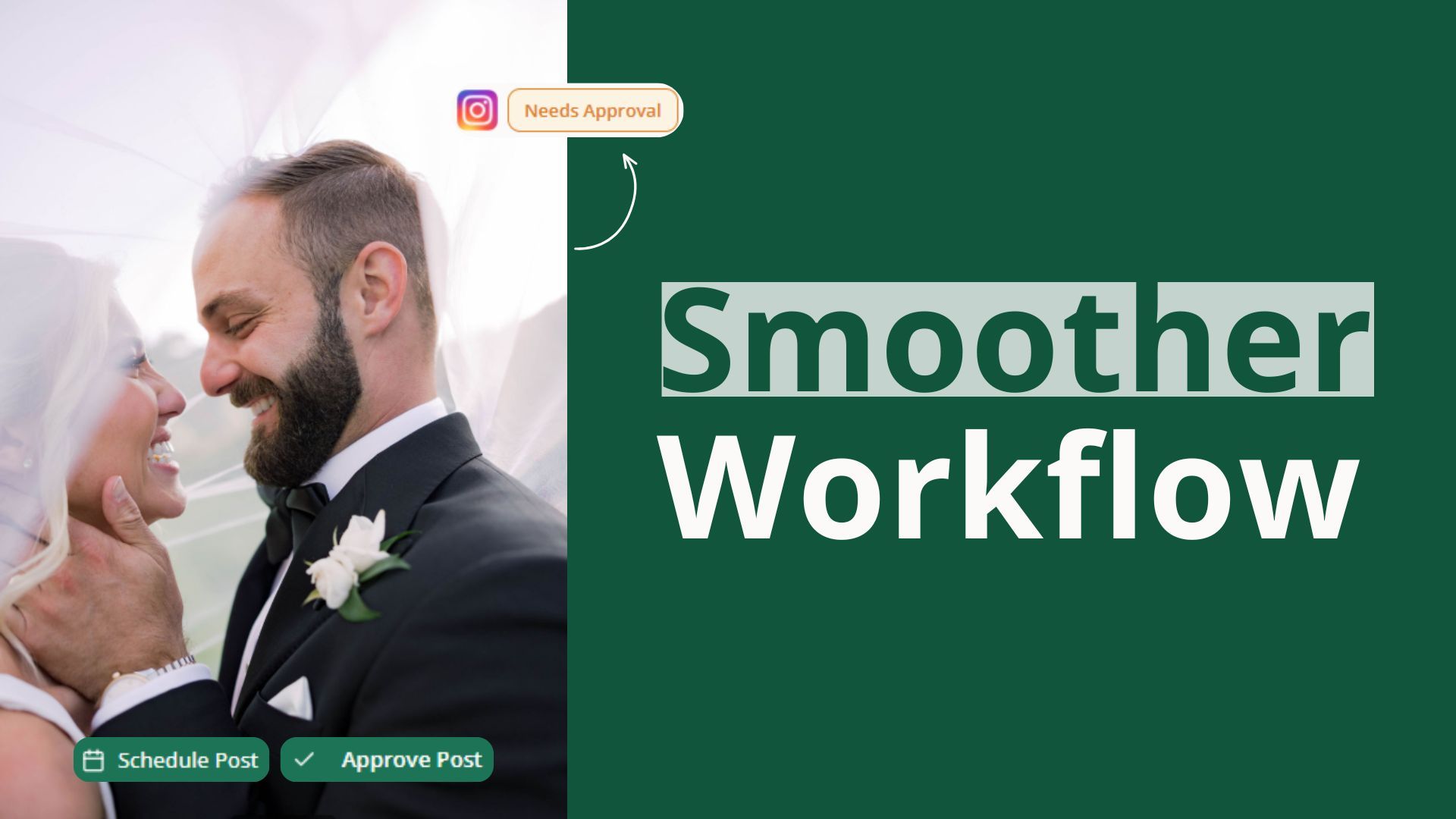
Get reassurance after approving a post. A new confirmation message makes it clearer what happens next after approval.
See cleaner tagged-vendor previews. Tagged vendor names now display more cleanly without extra punctuation.

This release makes large photo sets easier to upload, scan, and work through without as much cleanup.
Upload large albums more reliably. Big uploads are handled more gracefully, which helps prevent albums with hundreds of photos from stalling out partway through.
Keep uploads lighter behind the scenes. Large images are automatically resized to web-friendly dimensions so albums move faster through the system.
See the full album when you scroll. Album views now load all images more reliably instead of cutting off after a few scrolls.
Preview full photos before deleting or downloading. Delete and download screens now make it easier to inspect each image before you take action.
Use a cleaner image list view. Hover actions stay out of the way until you need them, and thumbnails show the full image more cleanly.
Jump to the right date faster. Album date fields now support typing and quicker month or year navigation.
Avoid repeating cover images in a batch. Generated post batches now do a better job choosing unique cover images so your feed feels less repetitive.

Social Valet now makes support, feedback, and follow-up questions easier to handle from inside the product.
Open help and feedback right in the app. The Featurebase widget is now embedded so you can access help, changelog updates, and feedback tools without leaving your workspace.
Stay signed in when you open support tools. Help and feedback areas now recognize your Social Valet login automatically instead of asking you to set up a separate account.
Respond to in-app surveys more easily. Survey prompts can now appear directly in the app when there is feedback we want to collect from you.
A series of copy and messaging updates now make setup steps easier to understand and less stressful to work through.
See clearer guidance after sharing an album. The invitation success message now explains what happened in simpler language.
Understand onboarding next steps more quickly. The final onboarding screen now better explains album creation, post generation, and approval before anything goes live.
Move past brand-voice training with less uncertainty. The Building your voice step now makes it clear you can keep going while training finishes in the background.
See less confusing approval settings. Auto-approval messaging is clearer, and that choice is now kept out of onboarding so setup feels less overwhelming.
Get friendlier brand voice instructions. The Brand Voice page does a better job explaining how to train Social Valet without feeling like you need to get everything perfect on the first try.
Know exactly what website link to paste for WordPress. The WordPress connection flow now makes the required site URL clearer from the start.
Voice transcription in production now works more reliably, reducing one more point of friction when you want Social Valet to turn spoken ideas into usable content.
April 9th, 2026
New
Improved
Fixed

This release focuses on everyday workflow improvements for wedding vendors. You can manage your vendor list more easily, take older albums out of rotation without losing history, and move through setup and review with fewer hiccups.
Managing your vendor relationships is now faster and more organized.
Browse your full vendor list in one place. You now have a dedicated Vendors area where you can search, sort, filter, open details, and keep your contacts organized without digging through other parts of the app.
Clean up vendors in bulk. You can now select multiple vendors at once and remove them together, which makes it much faster to tidy up your database when you no longer need certain contacts.

You can now archive albums you do not want actively generating content, while keeping their history available when you need it.
Archiving removes unfinished scheduled work tied to that album, stops new content from being generated, and moves the album out of your main working view. When you need it again, you can unarchive it and bring it back into your active workflow.

Getting into Social Valet now feels more polished from the moment you open it.
Land in the right place right away. Visiting the app now sends signed-in users to their dashboard and everyone else to the login screen, instead of showing a blank intermediate page.
See clearer branding across the app. Browser tabs now show Social Valet more clearly, with page-specific titles and updated branding that make the app easier to recognize at a glance.
Uploading and parsing documents during album creation is now more dependable.
This fix reduces the chance of timeout errors when working with files like wedding timelines, helping album setup continue more smoothly when you add planning documents.
Reviewing photo sequences now feels more natural.
Images on the album page now display left to right in order, which makes it easier to scan through a set the way you expect and review content more comfortably.
April 1st, 2026

Social Valet is live. This release introduces the full MVP β a social media content engine built specifically for wedding vendors that turns your event albums into Instagram posts and blog content in your voice, on your schedule, and ready for review before anything goes public.
Social Valet learns how you write so generated content actually feels like yours instead of generic AI copy.
Train your voice from the channels and content you already have. Pull from your connected Instagram and WordPress posts, paste in URLs, type or upload writing samples, or record an audio note describing your style.
Watch your voice come together. Training runs in the background and shows progress along with a summary of what Social Valet has learned about your tone.
Refine your voice over time. Keep adding inputs as your style evolves so generated captions and blogs stay aligned with how you sound today.
Albums are the backbone of Social Valet β the more context you give one, the better the content that comes out of it.
Create an album for each event. Add the date, location, event details, and the vendors who worked the wedding so every post has the right people and context behind it.
Upload photos in bulk. Drop in your full gallery and Social Valet handles the heavy lifting on storage and delivery.
Get AI-powered photo analysis. Each image is analyzed automatically so Social Valet understands what's in your photos before generating any content.
Add planning documents and other materials. Upload timelines, run-of-show docs, or other event materials to give content generation even more to work with.
Manage photos inside an album. Preview images in a lightbox, edit individual photo details, search within an album, and delete images you don't want in rotation.

Once an album is ready, Social Valet drafts content for you in your trained brand voice.
Get Instagram posts generated automatically. Captions and image selections are drafted from your album content and styled to match your voice.
Get full blog posts generated for WordPress. Long-form content is drafted from the same album so you can keep your website and Instagram telling a consistent story.
Create manual posts when you want full control. Build an Instagram or blog post from scratch when you have a specific idea in mind.
Nothing publishes without you saying so β unless you decide otherwise.

Work through posts on a dedicated content page. Filter by status, search, and view what's drafted, pending, approved, scheduled, or published.
Approve or reject posts individually or in bulk. Multi-select makes it fast to clear a queue when you have a lot of content to move through.
Edit Instagram captions and blog content directly. Tweak the wording, swap images, and preview before approving.
Turn on auto-approval when you're ready. For Instagram or WordPress, you can let approved drafts move straight to publishing without an extra click.
Social Valet picks good times to post and gives you a clear view of what's queued up.
Auto-schedule approved posts at AI-suggested times. Both Instagram and WordPress posts get smart timing suggestions so you don't have to manage a calendar by hand.
See everything on a calendar. View by month or week, filter by platform, and check what's scheduled, published, or needs attention.
Get alerts when something needs your eyes. Calendar alerts and content-page notifications surface scheduling issues, approvals waiting on you, and publishing problems.
Watch posts go live automatically. Scheduled Instagram and WordPress posts publish themselves at the chosen time, with status updates back in Social Valet.
Connecting your accounts is straightforward, and Social Valet handles the maintenance behind the scenes.
Connect Instagram with one OAuth flow. No separate Facebook Page connection needed β Social Valet uses Instagram Login directly.
Connect your WordPress site. Authenticate once and Social Valet can publish blog posts directly to your site.
Stay connected without thinking about it. Both Instagram and WordPress tokens auto-refresh before they expire so publishing keeps moving.
See your connection status at a glance. Settings shows whether each platform is connected and ready to publish.
Disconnect cleanly when you need to. Remove a connection at any time from Settings.
Wedding vendors work the same events β Social Valet makes it easy to pass an album to a collaborator without losing any of the work.
Share an album with another vendor by email. Send a link that handles new accounts and existing logins automatically.
Let recipients import shared albums. When another vendor accepts a share, the full album β photos, vendors, and event details β copies into their account so they can generate their own content from it.
Trust that share links don't live forever. Expired and invalid links are handled with clear messaging so recipients always know what to do next.
Social Valet works for solo creatives and small teams alike.
Set up your business and personal profile. Add your studio name, business type, and personal details from Settings.
Invite teammates and assign roles. Bring on team members as admins or regular users, with a designated account owner who has full control.
Secure your account with MFA. Optional multi-factor authentication keeps your account protected.
Pick a plan during onboarding. Choose between the Monthly Plan ($99/mo) or the Yearly Plan ($83.25/mo billed yearly β about $189 in annual savings), with a 30-day free trial via Stripe Checkout.
Update or close your account whenever you need to. Manage billing, change passwords, update your email, or shut down your account from Settings.
When you log in, the dashboard puts the most important parts of your day up front.
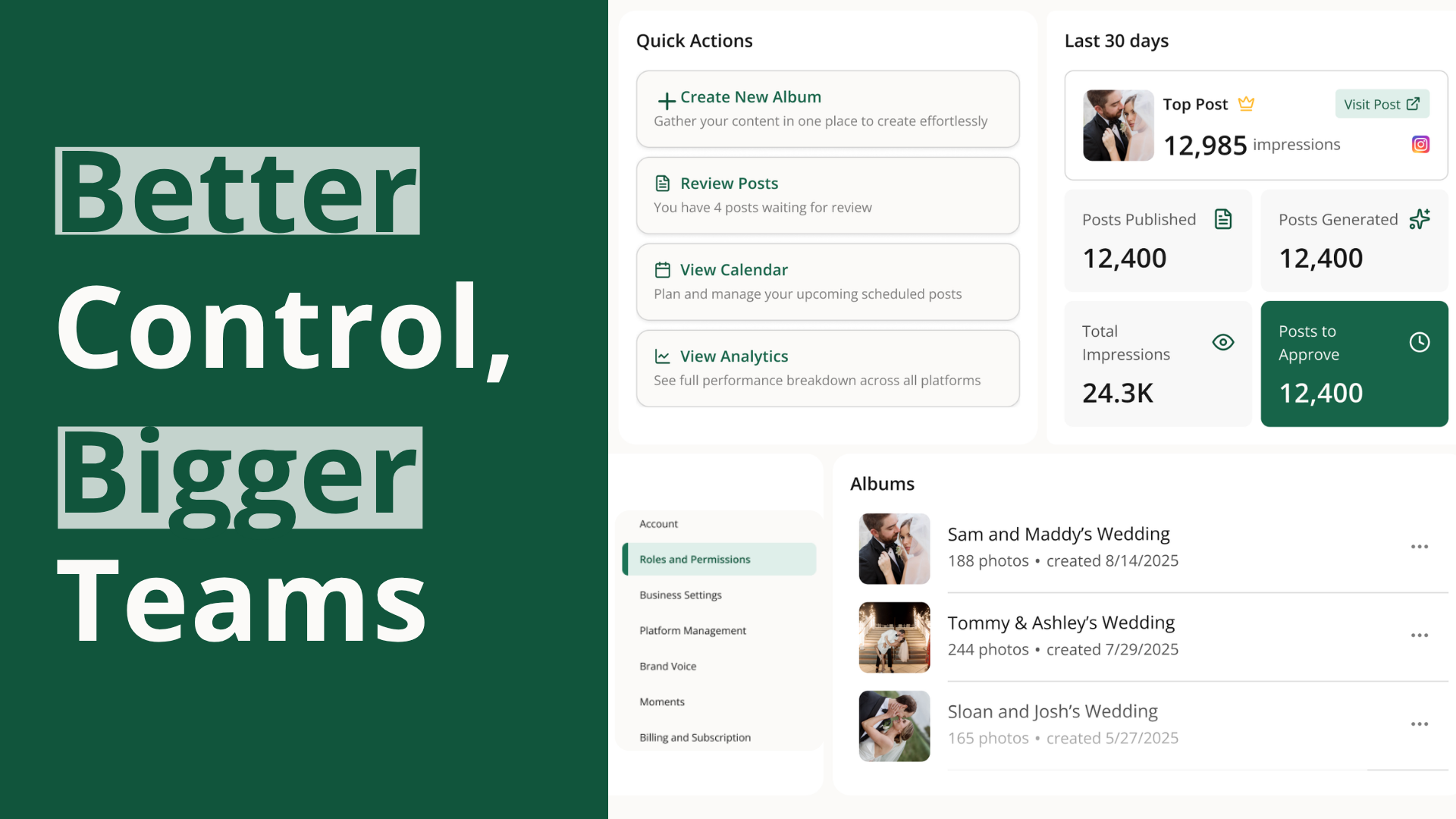
Quick Actions for the things you do most β start an album, jump into the calendar, or open the content queue.
Albums Card showing your most recent albums so you can pick up where you left off.
Calendar Card with what's scheduled and published so you always know what's going live.
Alerts Card that surfaces anything needing your attention β pending approvals, connection issues, or scheduling conflicts.
Welcome Note for a quick, friendly orientation each time you sign in.