Reading your dashboard
What the 30 day snapshot on your dashboard shows and how to jump into full analytics when you need more detail.
Written By Nick
Last updated About 1 month ago
Your dashboard is the first thing you see when you open Social Valet. It gives you a snapshot of the last 30 days so you can tell in a glance whether things are on track, plus a quick path into full analytics when you want to dig deeper.
What the dashboard covers
The dashboard focuses on four metrics that answer the question "how is Social Valet doing for me right now?" All numbers cover the last 30 days.
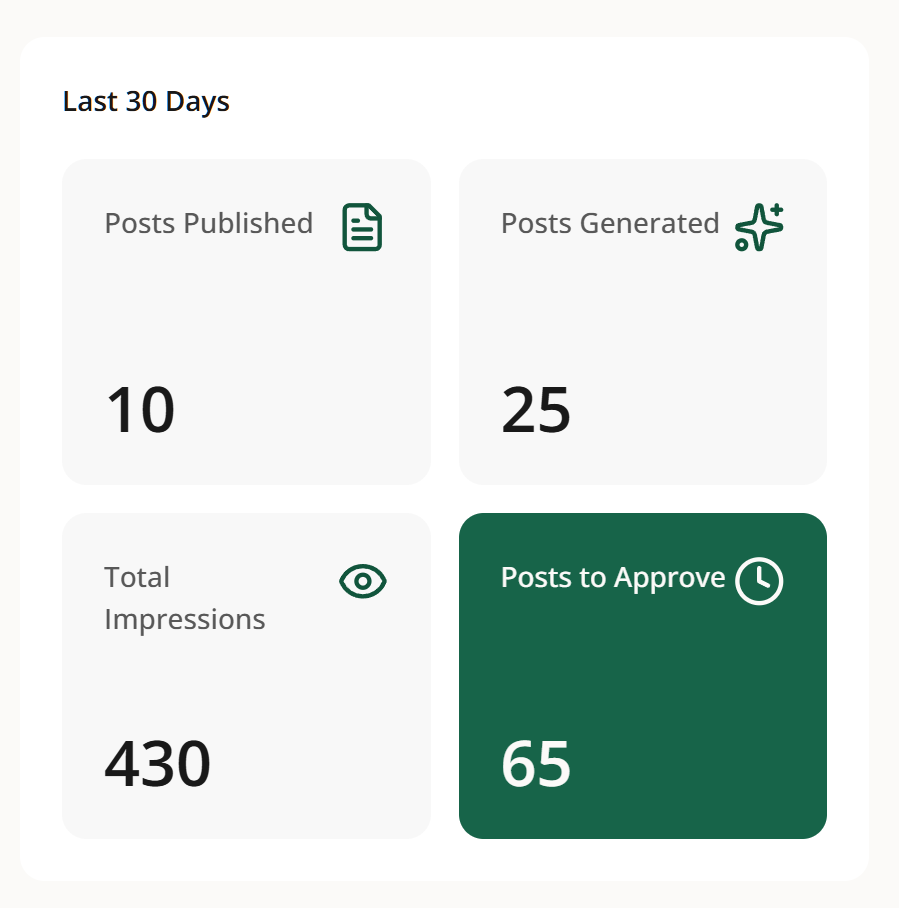
Publishing activity. How many posts and pins actually published across your connected platforms in the last 30 days. This is the cleanest signal that Social Valet is doing its job: content is going out.
Content generation. How many posts and pins Social Valet generated for you in the last 30 days, across Instagram, Pinterest, and blog. If this number is low, it usually means fewer albums moved to Publishing status recently.
Impressions. Total impressions across your connected platforms in the last 30 days. Useful as a directional read on reach, though platform level detail lives in the Analytics tabs.
Posts waiting for approval. How many posts are sitting in Needs Approval right now. This one is a live count, not a 30 day total, since it's an action item rather than a metric. If it's climbing, that's your cue to spend some time reviewing.
View Analytics quick action
The View Analytics button on the dashboard jumps you straight into the full Analytics page, where you can drill into each platform, look at longer time windows, and see the metrics that don't fit in a snapshot. The dashboard is designed for a 5 second read; Analytics is designed for a real look.
See Understanding your Analytics page for what's available once you're there.
If something looks off
Publishing activity is zero. Check that at least one platform is connected and that you have albums in Active status. If both are true, look at posts in Failed status to see if publishing is running into an error.
Content generation is zero. New albums may be sitting in Draft. Content only generates once an album is Set to Publishing.
Impressions look lower than expected. Impressions come from the connected platforms and can lag by a day or two. If the number seems way off, cross check the platform level number in the Analytics tab for that platform.
Approvals count doesn't match what you see on the Posts page. The Posts page has filters that may be scoping the view. Clear them to see everything Needs Approval.